I Cancelled All My Streaming Apps But One, and It Made TV Fun Again


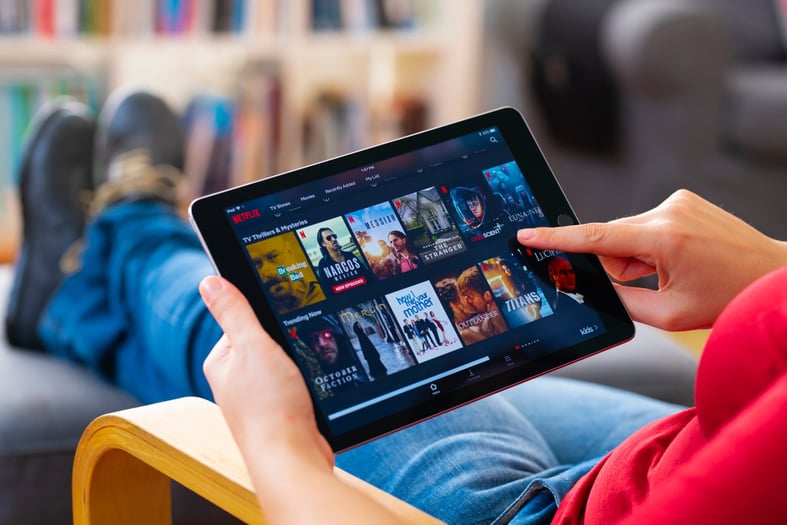
Recently, I realized we were spending over $80 a month for streaming services.
And we were still scrolling for 10 minutes trying to find something to watch every night.
So my spouse and I decided to test the “one in, one out” method. We cancelled almost everything. Then, we chose to pay for one app at a time, one month at a time — and it changed our whole outlook on at-home entertainment.
The problem with having it all
There's a concept in personal finance called "lifestyle creep" — when occasional indulgences quietly become fixed expenses you barely notice.
Something similar was happening with our streaming use: I called it app creep.
It happened gradually. Netflix felt like the baseline — we'd been subscribers since the DVD-by-mail days. Then Hulu for network shows. Prime Video came bundled with shipping. Peacock for classic NBC. Shudder for horror. And before we knew it, we'd tacked on Max and Paramount+ too.
Each one felt justified. Each one cost less than a lunch out. But together? Yikes.
Service | Monthly cost |
|---|---|
Netflix (Standard) | $17.99 |
Hulu (with ads) | $20.49 |
Peacock Select (with ads) | $7.99 |
Paramount+ Essential | $8.99 |
Max | $10.99 |
Shudder | $9.99 |
ESPN Select | $12.99 |
TOTAL: | $89.43/month |
That's $1,073.16 a year if nothing changed — and over the years, prices have just kept climbing. What felt like a steal a few years ago was now a gut punch every time the auto-charge hit.
Note: These prices reflect what we were paying in 2025, when we first started the experiment. Here’s a snapshot of my credit card charges for Netflix as evidence. Pricing tiers and bundle options have definitely changed since then.
 Image via Beth Buczynski
Charge recurring bills, like streaming services, to a credit card that rewards you with points or cash back for doing so. Then and now, I use a card that earns a tidy 6% cash back on these charges, so at least a little bit of that monthly cost was coming back to me each month. Want in on that action? » See our picks for the best rewards credit cards in Canada
The fix: Round-robin streaming
Here's what we changed, and what you can steal.
We paused or cancelled every app except one* and committed to watching the heck out of it until we ran out of things we wanted to see. Then we'd move on to a new app.
No overlap. No redundancy. Just one app, fully enjoyed, before rotating. I called it “round robin streaming.”
Here's how to do it:
Figure out what you're actually paying. Search for the provider name on your most recent credit card bill or bank statement. Add up every streaming subscription and its monthly cost. The total is usually more alarming than you expect. » Do this math quickly with the streaming cost calculator below.
Pick an anchor app. Start with whichever service has the most content you've been meaning to watch.
Pause or cancel everything else. Most services will let you cancel and reactivate with no penalty. Several — including Curiousity Stream and Highball.tv — allow you to pause billing for up to 12 weeks, which means your watchlist and preferences are saved when you return.
Set a calendar reminder before your next billing date. This is the non-negotiable step. Give yourself 3–5 days of heads-up so you're not accidentally charged for an app you're not using. I usually set a reminder a week before and then another one (“SERIOUSLY CANCEL THIS APP”) the day before the actual due date. No matter when you cancel, you'll still be able to watch through the end of the billing period.
Rotate when you're ready. When you've exhausted your current app (or just gotten bored), cancel or pause it, and activate the next one. Accumulating a backlog on the next app makes the switch feel like an event.
*OK, technically two. Because Prime Video is bundled with our overall Prime subscription, we set that to the side, and cancelled all of the other standalone apps except one (it was Peacock).
Which Canadian services let you pause?
This is the part most people don't know about.
Cancelling sounds drastic, but pausing is low-commitment — and several popular services support it. For those without a pause option, cancelling and restarting is penalty-free — you just lose your billing date continuity.
Service | Pause option | Details |
|---|---|---|
Netflix | ✅ Yes | Up to 30 days; not available on Basic plan or all payment methods. |
Disney+ | ✅ Yes | Up to 8 weeks. May be limited to customers with a monthly subscription billed directly by Disney+. |
Crunchyroll | ✅ Yes | Pause is available but only if you subscribed through the Google Play app. |
Curiosity Stream | ✅ Yes | Pause for one, two or three months. Must be a monthly subscriber billed directly through Curiosity Stream. |
Highball.tv | ✅ Yes | Pause for one, two or three months. Must be a monthly subscriber billed directly through Highballtv.com. |
DAZN | ✅ Yes | Must have a monthly flex subscription directly through DAZN. |
Prime Video | 🟡 Sort of | A standalone Prime Video membership must be cancelled and reactivated. You can pause your entire Amazon Prime Membership, including Video, however. |
CBC Gem Premium | ❌ No | Some ad-supported access may continue after cancellation. |
Crave | ❌ No | Cancel and reactivate; preferences saved. |
Apple TV+ | ❌ No | Cancel and reactivate |
Paramount+ | ❌ No | Cancel and reactivate within the settings of the app you used to subscribe. |
Some services will try to stop you from cancelling — or try to woo you back afterwards. They may offer you limited time discounts or upgrades to do so. Should you take them up on it? Depends. If it’s an app you love AND it has plenty of shows you want to watch, it may be a good way to save. But if you’re following the 'one in, one out' method anyway, an app that fits those criteria probably wouldn’t be on the chopping block.
What we saved (and what we didn't lose)
After a year of round-robining, we cut our streaming spend from $89/month to $20/month on average — a savings of about $833 a year.
The financial win was satisfying but somewhat expected.
What surprised me was:
We don't feel deprived. We can still watch anything we want — we just have to be thoughtful about it and prioritize. That constraint turned out to be a feature. Shows accumulated on each platform until we had a genuinely satisfying queue waiting for us, which made the switch feel like getting a new TV service every month.
The FOMO is manageable. Yes, we're sometimes behind friends watching in real time. But avoiding spoilers is easier than it sounds — and there's something genuinely pleasant about building anticipating for something we KNOW is gonna be good.
We can indulge in ad-free tiers. Because we're only paying for one service at a time, we splurge for the ad-free version without guilt. Goodbye, 160-second mid-episode ad breaks.
So, is it really worth the effort?
Totally.
The main cost is a little calendar discipline. You need to track renewal dates and occasionally go through a reactivation flow. That's it.
For $800 back in my pocket annually — and a more enjoyable way to watch TV — it's worth it.
Use the calculator below to see how much you could save using this same technique.
Canada streaming service cost calculator
Sign up for MoneyNerd Canada
Bite-sized financial tips, hot takes and featured offers. Delivered weekly on Thursday.
DIVE EVEN DEEPER

 Beth Buczynski


 Siddhi Bagwe