

6 Best Investing Apps in 2026
Here are a few of our favorite investment apps and what makes them unique.The investing information provided on this page is for educational purposes only. NerdWallet, Inc. does not offer advisory or brokerage services, nor does it recommend or advise investors to buy or sell particular stocks, securities or other investments.


For years, investing apps were a novelty. Now, they’re synonymous with brokerage accounts. And considering how easy they are to use, it makes sense that investors are turning to mobile platforms to get into the stock market.
Below, we’ve listed online brokerages whose mobile apps offer everything an investor might need. All of these platforms offer:
Commission-free trading. By now, free trading is the norm in the industry. Any broker or app you consider should not charge commissions. Some brokers like to flaunt this as a differentiator, but honestly, it’s a table-stakes offering.
Fractional shares. The ability to buy stocks in whatever dollar amount you want, rather than by the number of shares you want, is a very positive development in the industry, especially for new investors. While not every major broker offers fractional shares, all of the apps below do.
Low or no minimums. Minimums are uncommon these days, but make sure to avoid any broker that requires upfront deposits of several hundred (or even several thousand) dollars. We’ve excluded these from our list.
Strong UX. We didn’t just look at ratings to judge these brokers’ apps — we also tested them ourselves, opening accounts and placing trades on our own phones. All of the brokers here earned top or near-top scores on our mobile user experience rubric.
As long as the investing app you choose offers the above, you’re likely in good hands. But here are our six favorite apps, including the best offerings they bring to the table.
Our favorite investing apps
Best overall → Fidelity
Best for building diversification (+ free AI trading) → Public
Best for paper trading → Webull
Best for IRA match and UX → Robinhood
Best for customizable portfolios → M1 Finance
Best for investment selection → Interactive Brokers
Company | NerdWallet rating | Mobile rating | Tradable securities | Promotion | Learn more |
|---|---|---|---|---|---|
Best App for Investing | 5.0/5 | 5 | Stocks, ETFs, mutual funds, options, bonds and fixed income, precious metals, crypto | None no promotion available at this time | Read reviewon NerdWallet |
Read reviewon NerdWallet | |||||
Read reviewon NerdWallet | |||||
4.4/5 | 5 | Stocks, ETFs, options, bonds/fixed income and cryptocurrency | None no promotion available at this time | Learn moreon Public's website | |
Learn moreon Public's website | |||||
Learn moreon Public's website | |||||
4.8/5 | 5 | Stocks, ETFs, options, bonds/fixed income, cryptocurrency, futures, prediction markets and mutual funds (IRA only) | Get 12 free shares when you open and fund an account with Webull | Learn moreon Webull's website | |
Learn moreon Webull's website | |||||
Learn moreon Webull's website | |||||
4.5/5 | 4 | Stocks, ETFs, options, cryptocurrency, futures, ADRs and precious metals | None no promotion available at this time | Read reviewon NerdWallet | |
Read reviewon NerdWallet | |||||
Read reviewon NerdWallet | |||||
3.9/5 | 5 | Stocks, ETFs, cryptocurrency (via separate account), exchange-listed ADRs | Get up to $500 in your new Brokerage Account when you sign up and make a deposit within 14 days. Plus, earn up to $10,000 to invest when you transfer your brokerage account to M1 within 30 days of opening an M1 account. | Read reviewon NerdWallet | |
Read reviewon NerdWallet | |||||
Read reviewon NerdWallet | |||||



Fidelity
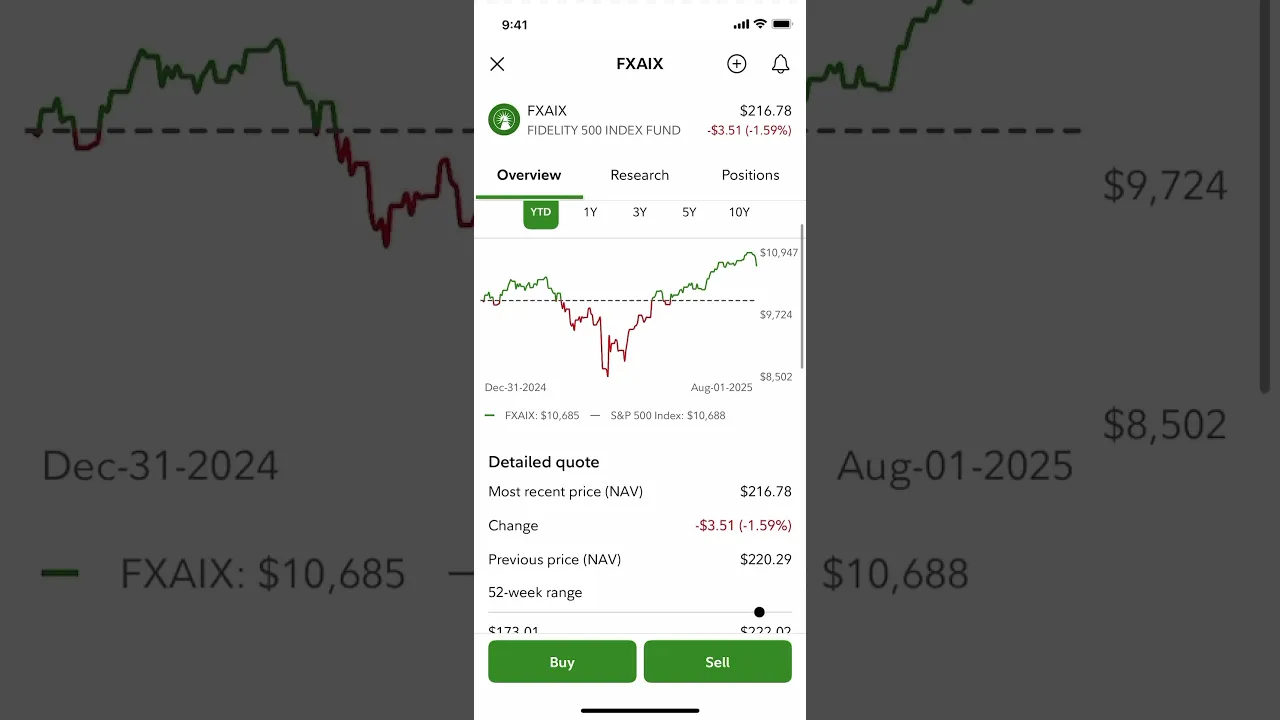
Every year when Fidelity receives a perfect score in our rubric, we wonder: What did we miss? Where are the flaws in this legacy broker? And invariably we arrive at the same conclusion that, once again, Fidelity really does have everything most investors want and very little they don’t.
You can read the long, detailed list of everything Fidelity offers in our full review here, but if you’re a new investor looking to get started investing via an app, here’s what’s likely most important to you.
What makes Fidelity such a strong choice
Trust, peace of mind and support
Fidelity has been operating since 1946 and manages investments totaling around $7.8 trillion in the second quarter of 2026. They serve around 50 million customers, yet they still manage to offer 24/7 phone support. This is a family-owned, privately held company that long ago established itself as an industry leader and has maintained that reputation to this day. When I’m using the app, I don’t feel like I’m being nudged toward products I don’t need or instruments and strategies that are too advanced for me. It just does what I want it to do, and that’s extremely refreshing in a world where attention is highly valuable currency.
Easy to use, easy to learn
If you’re new to investing, it’s true that Fidelity actually has more than you need. But the beauty of the app is that those extra offerings won’t get in your way if you’re looking for very basic buy-and-hold stock investing. Then when you’re ready to expand your portfolio, learn more about investing concepts and strategies or open other types of accounts (like a retirement account), that’s all very easily done in-app.
What Fidelity doesn't do as well
As noted earlier, there really aren’t any downsides for new investors just starting out and who want a taxable brokerage account. However, beginning in June 2026, we began monitoring an interesting change: prohibitively high transaction fees on select ETFs. You can read more about the new fees here, but basically, Fidelity started charging a 5% fee that tops out at $100 on more than 100 ETFs.
While many of the ETFs are pretty niche, some are all over the headlines right now. The Roundhill Memory ETF (DRAM), for example, has more than doubled in price since it started trading in April. I bring this up because a new investor chasing a hot sector could easily discover this ETF, but it now carries a hefty fee to purchase on Fidelity.
Otherwise, I could say Fidelity's investment selection isn't as broad as other brokers' because it lacks futures and unrestricted forex trading. While that may be a drawback for advanced traders, beginners probably shouldn't go anywhere near those instruments, anyway.
If you’re looking for a very specific offering, other brokers may spike above Fidelity in a few key areas. So if that’s you, keep your options open (and keep reading).
Fidelity is one of the largest and most well-established brokerages, and it shows. Fidelity charges no trading commissions, offers an extensive set of no-fee, no-minimum index funds. It also stands out for its top-notch research tools, a renowned trading platform and very strong customer service.
Account minimum
$0
Stock trading costs
$0*
Options trades
$0.65 per contract
Account fees (annual, transfer, closing, inactivity)
Annual fee: $0 Inactivity fee: $0 Closing fee: $0
Interest rate on uninvested cash
Rates change frequently. For the current rate, check the 7-day SEC yield for Fidelity's SPAXX money market fund, its default account for idle cash.
Number of no-transaction-fee mutual funds
3,220
Tradable securities
Stocks, mutual funds, ETFs, options, bonds and fixed income, precious metals, crypto
Trading platform
Three: Fidelity.com, mobile app, Fidelity Trader+
Mobile app
Available for iOS and Android
Research and data
Several data providers, including Argus, Zacks, CFRA and S&P Global
Customer support options (includes how easy it is to find key details on the website)
24/7. Hours vary by contact method, but you can get help via phone, email, chat, over social media or at a physical branch.
Public
I’m excited to talk about Public because it’s an app I wouldn't have included on this list just two years ago. But for a very new app (it’s only been around since 2019), it’s shown an exceptional ability to keep adding features that today’s investors arguably need most, rather than showy bells and whistles that don’t bring much value. And all of these additions have made it one of the best apps for easily building a diversified portfolio.
What I like about Public
A really good index-building AI tool
Public’s Generated Assets feature helps you build your own custom index (that’s just a list of stocks) based on the criteria you input. I was skeptical at first, but after I tested it, I understood the hype. I asked it to create a diversified index of climate-resilient industrials, and it quickly created a customizable index of 22 companies. Moreover, you can even backtest your index and compare it to the S&P 500. However, there is a $1,000 minimum to actually invest in your custom index.
 Example of Public's custom agent.
Agent-based trading
I said I'd be back when this was finally rolled out, so here I am. And I'm excited to report that this feature seems as cool as I'd hoped so far. When I tried it the day it was available, I got a network error screen, but I'll forgive that. When I fired it up again, it worked great. As a test, I created an agent that would identify the top five dividend aristocrats by yield and purchase a fixed amount on the first of every month. The agent will take any profits from the previous month to put toward the next month's purchase.
I think this feature alone could make Public worth a try, whether you want to use it for more tactical trades or longer-term strategic positioning.
Easy income-focused investing
Public gives investors three ways to get high yields on zero- or low-risk investments: A diversified corporate bond account, which currently offers more than 6%; a Treasury account (whose yield will depend on what kind of Treasury ladder you build) and a high-yield cash account, yielding more than 3%. All of these are well explained and easy to integrate into your overall portfolio.
Direct indexing
It’s a fairly big achievement for Public to start offering direct indexing — a technique that involves investing in each individual stock listed in an index, rather than, say, an ETF that tracks the index. While it’s not perfect (there are investment minimums ranging from $2,150 for 100 stocks to around $70,000 for 500 stocks), the interface is remarkably easy to use and understand — surprising for a highly technical offering. If you can manage the minimums, this is a great tool for a strategy known as tax-loss harvesting, which involves selling investments at a loss to offset capital gains taxes. And we should note that the minimums for this service have actually come down a bit in the last few months. Previously, the minimum for 500 stocks was $80,000 (although the minimum for 100 stocks rose slightly from the previous $1,975).
Investment Plans
Public lets users choose either premade portfolios or customize their own of up to 20 stocks, ETFs or cryptocurrencies, select allocations for each asset, and set regular contributions to this portfolio. Each contribution is then distributed according to your set allocation. This type of basket investing is becoming more common, but Public’s is far from the best of the bunch. Still, it adds to Public’s appeal as an excellent app for building diversification.
What I don't like about Public
There are a couple parts of Public’s sign-up process I really didn’t like: There was a small box automatically checked that enrolled me in their Securities Lending Program. I have no intention of lending out my stocks (which Public’s clearing company, Apex, typically uses to facilitate short-selling), so I would have preferred this wasn’t checked by default. It’s easy enough to change this in your account settings after the fact, but it’s the fact that it was the default option that rubbed me the wrong way.
Another thing worth mentioning about Public: It doesn't have mutual funds, international accounts or custodial accounts.
Public provides free stock and ETF trades, pays you to trade options, and gives traders access to crypto and bonds, as well as a high-yield cash account. The platform will appeal to traders looking for a low-cost options broker and access to many types of assets.
Account minimum
$0.
Stock trading costs
$0 ($2.99 per trade for after-hours trades or OTC stocks, for non-Premium members.)
Options trades
$0. Public pays options traders a rebate of $0.06 to $0.18 per options transaction, as a share of their payment-for-order-flow revenue, depending on volume
Account fees (annual, transfer, closing, inactivity)
$75 ACAT outgoing transfer fee (partial or full). No annual fee for non-Premium members — Public Premium costs $10 a month or $96 a year.
$3.99 monthly inactivity fee for accounts with no activity for six months and balances below $70. Instant withdrawals cost 3.5% of the amount withdrawn, with a minimum of $1.
Interest rate on uninvested cash
New users can opt into a high-yield cash account with yield of over 4% by checking a box at sign-up.
Number of no-transaction-fee mutual funds
Not rated.
Tradable securities
Stocks, ETFs, options, cryptocurrency, American Depositary Receipts, fractional shares and bonds.
Trading platform
Public's mobile and web platforms offer a smooth sign-up, funding and trading experience, but are fairly basic when it comes to tools like charts and screeners.
Mobile app
Public's iOS and Android apps are both well-liked by users and offer virtually the same features as the web trading platform.
Research and data
Research from Morningstar, TradingView and S&P Global. Public offers earnings call playback, as well as bespoke company metrics like subscriber numbers.
Customer support options (includes how easy it is to find key details on the website)
Email and chat support available from 9 a.m. to 5 p.m. Eastern, Monday through Friday. Responses prioritized for Premium members. Website is fairly easy to navigate.
Webull
Where Webull shines
Webull has always had a very fun (and helpful) paper trading platform. If you haven’t heard of paper trading, it’s basically a stock market simulator that lets you practice placing trades with fake money. It’s a great tool for building confidence using these highly technical and often daunting platforms. Webull’s paper trader:
Lets you practice trading stocks, options and futures with a fake $1,000,000.
Includes all data, charting, analysis, newsfeeds and everything else you’d see in a real trading environment.
Can itself be confusing, but that’s why the low-stakes environment is so helpful.


In the images above, you can see how realistic Webull's options and futures trading platforms are in the paper trading account.
If you already have a primary investing app, Webull could be a strong complement to it thanks to this feature. Read Webull’s full, detailed review here and check out its quick facts below.
Where Webull falls short
As Webull has continued to add new offerings (retirement accounts, access to cryptocurrency, IRA matching, advanced trading features, etc.), it feels like the app is literally filling up. Where there was previously ample white space is now cluttered with ads for Webull’s many additional services, including gambling-like products like prediction markets. There’s not a lot of breathing room anymore, and the uncluttered UX is something I loved about Webull in the early days. The app's built-in forum also has weird, seedy vibes.
Webull will appeal to the mobile-first generation of casual investors with its slick interface for desktop and mobile apps. The brokerage also delivers an impressive array of tools for active traders and a wide investment selection, including stocks (plus fractional shares), options, ETFs, crypto, commodities and futures. However, it lacks access to mutual funds outside of its IRA offering.
Account minimum
$0.
Stock trading costs
$0.
Options trades
$0 per trade and $0 per contract on equity options. $0.30 to $0.50 per contract on non-equity options such as index options.
Account fees
Annual fee: $0. Inactivity fee: $0. Outgoing transfer fee (partial or full): $75.
Interest rate on uninvested cash
0.5% for non-Premium users. 3.35% for Premium users. (APY for IRA accounts is 0.1%.)
Number of no-transaction-fee mutual funds
Mutual funds only available via Webull IRA.
Tradable securities
Stocks, ETFs, Treasury bonds, Options, ADRs, Crypto, Futures, Prediction markets
Trading platform
Five: Web, desktop, two mobile apps (Webull and Webull Lite), APIs.
Mobile app
Available for iOS and Android.
Research and data
More than a dozen providers, including Benzinga, Nasdaq Total View, S&P, Dow Jones and CBOE.
Customer support options (includes how easy it is to find key details on the website)
Customer support is available by phone from 9:00 a.m. Eastern time to 4:15 p.m. Email and an in-app help center are available 24/7.
Robinhood
Robinhood has long been known for its mobile-friendly interface, and for good reason. It’s one of the best-designed apps (of any app, not just trading apps) I’ve ever used, second only to perhaps Chipotle’s app. (Weird comparison, I know, but if you've ever used Chipotle's app, you probably know what I mean.)
But since Robinhood’s leadership in UX is firmly established, I want to heap praise instead for its IRA match program.
What Robinhood does well
Robinhood pioneered the IRA match. Here's how it works:

With a Robinhood Gold membership ($50/year or $5/month), Robinhood will match your IRA contributions by 3%. That means if you max out your IRA in 2026 ($7,500 for those under 50 years old), Robinhood will give you $225 to put toward your IRA.
A cool twist: that $225 is considered interest income within your IRA, meaning it doesn’t count toward your annual contribution limit, effectively letting you contribute $7,725 in 2026.
Robinhood Gold comes with lots of benefits, so it may be tempting to consider it a separate, unrelated cost. However, it’s worth remembering that if you get Gold specifically for the IRA match, you net out a match of only $175, not $225.
The match without Gold is less compelling: At 1%, that amounts to $75 extra, which, yes, is free money, but won’t be a game-changer for your retirement savings.
Now, onto the not-free trading agent. Along with your $5-per-month Gold subscription, you'll get access to Robinhood Cortex and Robinhood Agents, which can place trades for you. So far, Robinhood, Public and Interactive Brokers are the only apps on this list that have built-in AI trading agents. But I'll note that Public's doesn't require any additional subscription (though there are things like investment minimums on Public).
There’s a lot more to learn (and sometimes love) about Robinhood. Here’s our full review.
What I still don't like about Robinhood
I’ve been reviewing Robinhood for over half a decade. I’ve loved watching them mature far beyond what feels like the Wild West days of 2020 and 2021. But they still make the bulk of their revenue from people trying high-risk, short-term trading strategies antithetical to proven long-term investing practices, and they push these strategies on app users. Be aware of this. One of the most recent (and most egregious) examples of this is how Robinhood has built sports betting markets into its app and started to display them prominently. As a product of Silicon Valley, Robinhood knows how to get your attention, and in my opinion, even influence your behavior.
At Robinhood, trades of stocks, ETFs and their options are commission free, as are cryptocurrency trades. (Other fees may apply, including on index options.) Robinhood Gold offers a high interest rate on uninvested cash and low margin rates. The company does not offer mutual funds or individual bonds.
Account minimum
$0 for brokerage accounts, Robinhood Gold accounts and IRAs.
Stock trading costs
$0.
Options trades
$0 for equity options. $0.50 for index options, or $0.35 for Gold accounts.
Account fees (annual, transfer, closing, inactivity)
No annual or inactivity fees. $100 ACAT outgoing transfer fee. Robinhood Gold costs $5 a month or $50 per year. Matching funds in IRAs may be taken back if money is withdrawn in less than five years. Instant withdrawals cost 1.75% of the amount withdrawn, with a minimum fee of $1 and a maximum of $150.
Interest rate on uninvested cash
0.01% for free accounts, 3.6% for Gold accounts
Tradable securities
Stocks, ETFs, Options, Cryptocurrency, American Depositary Receipts for over 650 global companies, Futures, Fractional shares. Bonds only available in the form of bond ETFs.
Number of no-transaction-fee mutual funds
Not rated; no mutual funds.
Trading platform
Robinhood's mobile and web platforms are known for their smooth sign-up, funding and trading processes. The broker now also offers a desktop platform, Robinhood Legend.
Mobile app
Mobile trading platform includes customizable alerts, news feed, advanced charting and ability to listen live to earnings calls for some companies. Reviews are mostly positive, although the average star rating on both iOS and Android is below the 4.5 star line.
Research and data
Access to professional research from Morningstar and Level II market data from the Nasdaq Stock Exchange (with Gold subscription).
Customer support options (includes how easy it is to find key details on the website)
24/7 chat support. Phone support available from 7:00 a.m. ET to 9:00 p.m. ET, Monday - Friday. Decent suite of educational articles and webinar events, and an easily-navigable website.
M1 Finance
What's noteworthy about M1
Earlier, I mentioned that Public’s Investment Plans were good but not great. So now let’s look at M1’s “Pies” custom portfolio feature, which in my opinion, is the best among any broker I’ve reviewed. (I’ve already extolled M1’s Pies in a separate piece, which goes far more in-depth than I will here.)
M1 makes it super simple to create a basket of assets (stocks and ETFs), set an allocation for each, automate contributions and have those contributions dispersed accordingly among all assets in the basket. So what sets M1 apart from other similar basket-trading features, like those offered by Fidelity and Public? A lot.
On high balances, it’s free. M1 charges a $3/month platform fee and a $100 account minimum, which isn’t great. However, balances of $10,000 or more see the fee waived. Public’s comparable portfolio builder charges a per-transaction fee of $1.99 for portfolios with 20 stocks in them. Fidelity charges $4.99 for their version of the service.
Include up to 100 assets. The typical M1 user can build a custom portfolio containing up to 100 stocks or ETFs — far more than Fidelity’s 50 and Public’s 20. And, simply by calling and requesting it, I had my limit raised to 150.
Flexibility with model portfolios. If you want some expert help, M1 also offers pre-built pies based on themes. And while you can’t edit these directly, you could recreate them as a custom pie and adjust accordingly pretty easily. Alternatively, you could include a pre-built expert pie as one “slice” of your own custom pie. There’s a lot of mixing and matching that can go on here.
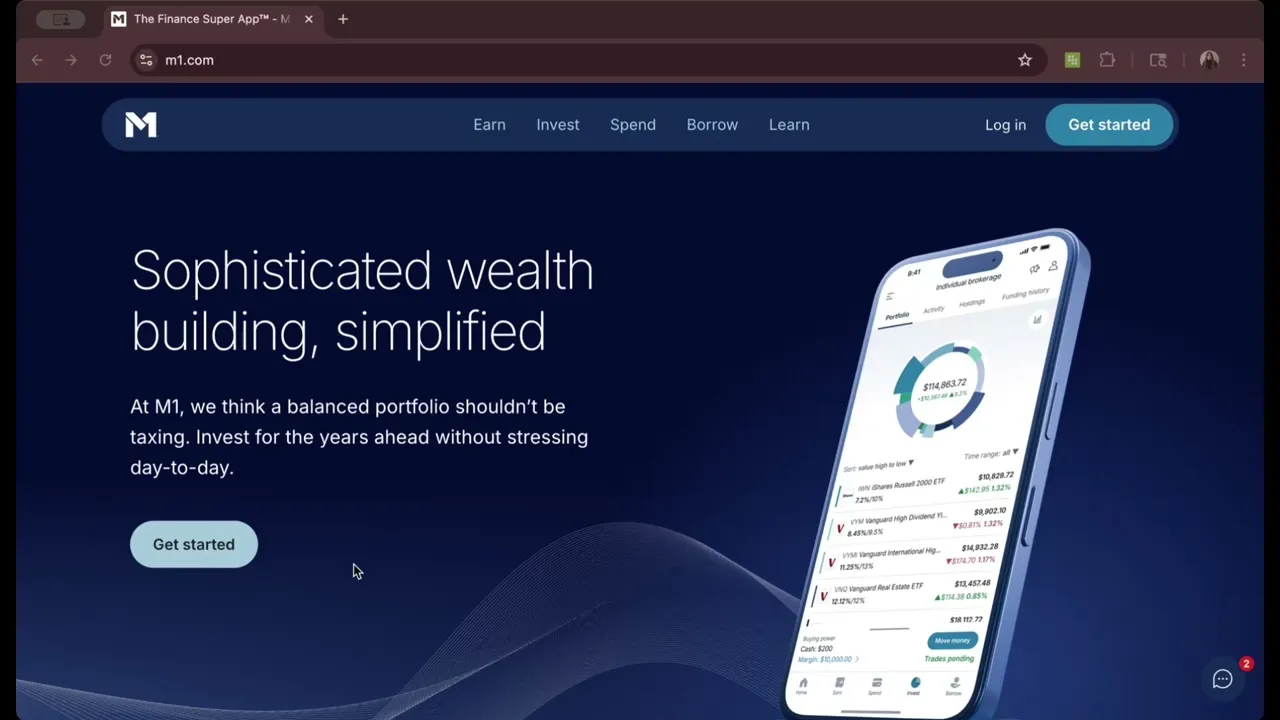
I want to make clear that M1 is not a stock trading app in the same way the others on this list are. In fact, M1 only executes trades during two windows each trading day. It’s designed to help long-term, hands-off investors create a custom portfolio, then let it run. If that’s what you’re looking for, it’s an excellent choice. If you’re looking to actively trade stocks, it’s not.
Where M1 falls short
M1 has a rarely seen $100 investment minimum to get started, plus a $3 monthly platform fee and a pretty high balance requirement to waive it. I’d argue the services received are worth the minimums and fees, but that’s up to each person.
M1 Finance stands out for its unique investment approach — it helps investors visualize their portfolios as a pie, with "slices" made up of different securities. The mix of automation and manual investing will appeal to beginner investors who want to grow their skills and long-term investors who want help maintaining their portfolio allocation.
Account minimum
$100 ($500 for retirement accounts).
Stock trading costs
$0.
Options trades
Options trading not available.
Account fees (annual, transfer, closing, inactivity)
Annual fee: $36 (charged monthly) on balances under $10,000.
Inactivity fee: $50 (charged on accounts with balances up to $50 with no trading or deposit activity for 90+ days).
Closing fee: Full and partial outgoing ACAT: $100; IRA closing fee: $100.
Interest rate on uninvested cash
Around 4%.
Number of no-transaction-fee mutual funds
None; mutual funds not available.
Tradable securities
Stocks, ETFs and crypto.
Trading platform
Two: M1.com and mobile app.
Mobile app
Available for iOS and Android.
Research and data
Quotemedia.
Customer support options (includes how easy it is to find key details on the website)
Customer support is available from 9 a.m. to 4 p.m EST on days when the market is open.
Interactive Brokers
What's noteworthy about Interactive Brokers
Interactive Brokers is oriented towards really advanced traders. Want to buy South African stocks? Malaysian agricultural futures contracts? Options on French bonds? Interactive Brokers has you covered.
It has, by far, the widest investment selection of any broker we review, thanks to its variety of asset classes (including stocks, bonds, options, ETFs, mutual funds, futures, currencies, crypto, event contracts and physical precious metals) as well as direct access to dozens of international exchanges.
Other trading features that stand out about Interactive Brokers: IBKR also has the widest research and data offerings of any broker we review, with more than 140 services available from more than 40 providers. However, not all of those are free; some require a paid subscription.
Where Interactive Brokers falls short
Interactive Brokers is not an app that's great for advanced traders and beginner investors. Its flagship app, IBKR Mobile, is great for the former and slightly terrifying for the latter. The amount of information packed into every screen can be intimidating to anyone who isn't a pro, and the big (100 share) default order size may scare off small-balance investors, despite the fact that Interactive Brokers offers fractional shares.
IBKR has made some progress on this beginner-unfriendliness in recent years through IBKR GlobalTrader, a second app. Below are two screenshots: The one on the left is from the powerful-but-cluttered IBKR Mobile app, and the one on the right is from the slightly cleaner and more stripped-down IBKR GlobalTrader app.

Don't judge me for letting my phone battery get that low. I had a long day.
A few other notes about IBKR: It still charges a per-contract fee for option trades. IBKR Pro users also pay commissions of a fraction of a cent on stocks in exchange for faster and more efficient order execution, although free accounts don’t.

Don't let the name fool you: IBKR Lite offers commission-free stock trading (including international trade capabilities), more than 21,000 mutual funds, and a well-featured platform.
Account minimum
$0.
Stock trading costs
IBKR Lite: $0. IBKR Pro: choice of fixed commission of $0.005 per share, or variable commission of $0.0005 - $0.0035 per share. Select ETFs are commission-free for Pro users.
Options trades
$0 per trade. IBKR Lite: $0.65 per contract. IBKR Pro: $0.15 to $0.65 per contract, depending on volume.
Account fees (annual, transfer, closing, inactivity)
Annual fees: $0. Inactivity fee: $0. Transfer/closing fee: $0.
Interest rate on uninvested cash
0% on the first $10,000. IBKR Lite: Up to 2.13% after $10,000, depending on account value. IBKR Pro: Up to 3.13% after $10,000, depending on account value.
Number of no-transaction-fee mutual funds
Over 21,000.
Tradable securities
Stocks, mutual funds, ETFs, options, bonds, futures, event contracts, forex, crypto, precious metals.
Trading platform
Eight: IBKR Desktop, Web (Client Portal), IBKR Mobile app, GlobalTrader app, IMPACT app, Trader Workstation (desktop), ForecastTrader and APIs.
Mobile app
Available for iOS and Android; advanced features.
Research and data
Over 140, some requiring a paid monthly subscription, some free.
Customer support options (includes how easy it is to find key details on the website)
Phone, email and chat support is available 24/5, plus email and live chat from 1:00 p.m. to 7:00 p.m. ET Saturdays.
NerdWallet writers are subject matter authorities who use primary, trustworthy sources to inform their work, including peer-reviewed studies, government websites, academic research and interviews with industry experts. All content is fact-checked for accuracy, timeliness and relevance. You can learn more about NerdWallet's high standards for journalism by reading our editorial guidelines.
- 1.Bloomberg. Fidelity Managed Assets Hit $7.8 Trillion in Second Quarter. Accessed .
For detailed information about the categories considered when rating brokers and investing apps, read our full methodology.