







United Airlines is in the process of rolling out complimentary Starlink Wi-Fi for MileagePlus members across its entire fleet, giving passengers access to some of the fastest speeds in the sky.
However, it will take some time before United can equip all its planes with Starlink Wi-Fi. As of February 2026, United says more than 300 regional aircraft already have Starlink, and it expects to install it on 500 more planes by the end of the year.
Let’s take a look at United Wi-Fi, its costs (for flights without Starlink) and whether you can text or stream video for free the next time you fly the friendly skies.
Will my United flight offer Wi-Fi?
United offers Wi-Fi on most flights. If you aren’t sure whether your specific flight will have Wi-Fi, the airline offers a coverage map that shows Wi-Fi availability based on the type of plane you’re flying on and your destination.
Importantly, United says that Wi-Fi availability is “subject to change,” so even if the coverage map shows that your flight has Wi-Fi, you should always have a backup plan in case it doesn’t work. This might include printing out important work emails before the flight or downloading shows or movies onto a tablet before takeoff.

By signing up, you will receive newsletters and promotional content and agree to our Terms of Use and acknowledge the data practices in our Privacy Policy. You may unsubscribe at any time.
How to connect to United in flight Wi-Fi
Connecting to United Wi-Fi only takes a few steps:
Find and connect to the “United Wi-Fi” network. Be sure to do this in airplane mode if you’re connecting to United Wi-Fi with your cell phone or tablet.
Launch your internet browser and go to unitedwifi.com.
Follow the instructions to pay for your Wi-Fi (or if you qualify for free Wi-Fi — which we tell you how to get below — follow the instructions to log in for free).
Once you’re connected to Wi-Fi on your flight, you can access United’s app, along with its in-flight entertainment options, and select messaging services for free. However, if you’d like to access other apps or websites, you’ll need to pay for Wi-Fi access.
How much does United Wi-Fi cost?
The amount you’ll pay varies based on the flight route, your United MileagePlus membership status and other factors. Below is an overview of United’s Wi-Fi pricing options.
Starlink-equipped aircraft
If your plane has Starlink Wi-Fi, you'll have access for free as long as you're a MileagePlus member. It's free to join the program and you can do so during the flight.
Make sure to have the United app installed on your phone for a seamless login. After you head to unitedwifi.com, you will be redirected to the app to confirm your identity and sign on. If you have additional devices like a laptop, connect to the Wi-Fi network and head to the unitedwifi.com page. You'll find a QR code that you can scan using your phone, which will automatically sign you in.
One-time fee
For those flying on domestic or short-haul international routes, Wi-Fi will cost you $8 if you’re a MileagePlus member or $10 for non-members. Alternatively, you can redeem 1,600 miles for Wi-Fi access.
Those traveling on long-haul international flights will find the price of Wi-Fi varies based on the route.
Day pass
The United Wi-Fi day pass is a good option if you’re taking multiple flights in a single day. You can purchase the pass in advance when booking your flight or add it to your itinerary later.
While it may not save you money (United says the cost of a day pass is equal to the amount Wi-Fi would cost for each individual flight during a 24-hour period), it can save you some hassle by not having to buy Wi-Fi more than once.
Subscriptions
If you’re a frequent United flyer, you can purchase a monthly Wi-Fi subscription. A United Wi-Fi subscription covering North and Central America costs $49 per month, while a global Wi-Fi subscription costs $69 per month. Subscriptions don't auto-renew, so you'll need to purchase it again each month.
You can also use United MileagePlus miles to purchase the subscription instead of cash.
» Learn more: Great ways to earn United MileagePlus Miles
T-Mobile customers (partnership ended)
United and T-Mobile used to have a partnership for customers on select T-Mobile plans, which included free United Wi-Fi with streaming service and unlimited texting. However, that partnership abruptly ended in April 2026, although some aircraft may still allow you to access the benefit.
United credit cardholders
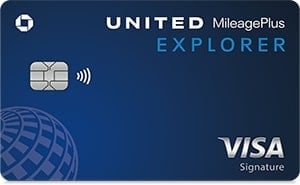
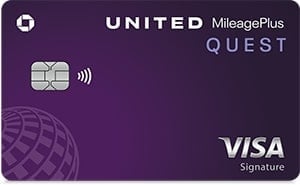
If you have a United co-branded credit card, you’ll receive 25% back as a statement credit when you use your eligible card to purchase United Wi-Fi. This includes monthly subscriptions as well as day pass purchases.
While the price of United Wi-Fi can vary, great ways to save money include signing up for an eligible T-Mobile plan, enrolling in United’s MileagePlus program or paying for Wi-Fi with your United credit card.
» Learn more: Best benefits of United Airlines credit cards
How to get free Wi-Fi on United
There aren't any ways to get free Wi-Fi on United unless you're a MileagePlus member on a Starlink-equipped plane, but you can get a 25% discount by paying with one of the following United credit cards:
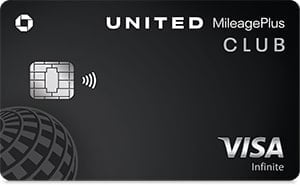
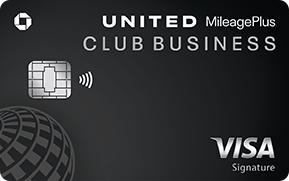
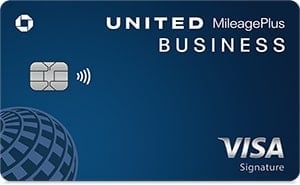
Annual fee
Additionally, you can use select messaging apps as well as United’s streaming in-flight entertainment for free on any flight. More on this in the next section.
United Wi-Fi purchases should also count toward statement credits for airline incidental purchases or general travel purchases offered by select premium travel credit cards.
Does United Wi-Fi include free text messaging?
United flyers who want to stay connected to friends, family and co-workers while they’re flying are in luck.
Once you’re connected to United Wi-Fi, you’ll be able to send text messages for free through apps like iMessage, Facebook and WhatsApp — no fee required.
Final thoughts on United Airlines Wi-Fi
United is working quickly to roll out Starlink Wi-Fi across its fleet, with a target of more than 1,000 planes equipped by the end of 2026 — ahead of its earlier 800-plane target. That's a game-changer for United flyers, who have mostly had to pay for Wi-Fi that doesn't always work well.
Until the rollout finishes, you'll still need to pay for Wi-Fi on most planes. The cost can vary based on factors including the route you’re flying and whether you’re a MileagePlus member.
Frequent United flyers can save money by purchasing a subscription or getting a United credit card.
The information related to the United Club℠ Business Card has been collected by NerdWallet and has not been reviewed or provided by the issuer of this card.
How to maximize your rewards
You want a travel credit card that prioritizes what’s important to you. Here are some of the best travel credit cards of 2026:
Flexibility, point transfers and a large bonus: Chase Sapphire Preferred® Card
No annual fee: Wells Fargo Autograph® Card
Flat-rate travel rewards: Capital One Venture Rewards Credit Card
Bonus travel rewards and high-end perks: Chase Sapphire Reserve®
Luxury perks: American Express Platinum Card®
Business travelers: Ink Business Preferred® Credit Card