We believe everyone should be able to make financial decisions with confidence. While we don't cover every company or financial product on the market, we work hard to share a wide range of offers and objective editorial perspectives.
So how do we make money? Our partners compensate us for advertisements that appear on our site or when you click to or take an action on their website. This compensation helps us provide tools and services - like free credit score access and monitoring. With the exception of mortgage, home equity and other home-lending products or services, partner compensation is one of several factors that may affect which products we highlight and where they appear on our site. Other factors include your credit profile, product availability and proprietary website methodologies.
However, these factors do not influence our editors' opinions or ratings, which are based on independent research and analysis. Our partners cannot pay us to guarantee favorable reviews. Here is a list of our partners.
FreshBooks vs. QuickBooks Comparison
QuickBooks hits the mark for most small businesses, but FreshBooks has enough basic tools for many freelancers.
Hillary Crawford is a small-business writer at NerdWallet, with a special focus on business software products. Her previous roles include news writer and associate West Coast editor at Bustle Digital Group, where she helped shape news and tech coverage. Her work has appeared in The Associated Press, The Washington Post, Yahoo Finance and Entrepreneur, in addition to other publications. She is based in Traverse City, Michigan.
Kelsey Sheehy is a senior writer and NerdWallet authority on small business. She started at NerdWallet in 2015 and spent six years as a personal finance writer and spokesperson before switching gears to cover the financial decisions and challenges faced by small-business owners. Kelsey’s work has appeared in The New York Times, The Washington Post, Nasdaq and MarketWatch, among other publications. Kelsey has appeared on the "Today" show, NBC News and ABC’s "World News Tonight" and has been quoted by the Los Angeles Times, CNBC, American Banker, NPR and Vice, among other publications. Prior to joining NerdWallet, Kelsey covered college (and how to pay for it) for U.S. News & World Report. She is based in Washington, D.C.
Christine Aebischer is an former assistant assigning editor on the small-business team at NerdWallet who has covered business and personal finance for nearly a decade. Previously, she was an editor at Fundera, where she developed service-driven content on topics such as business lending, software and insurance. She has also held editing roles at LearnVest, a personal finance startup, and its parent company, Northwestern Mutual. She is based in Santa Monica, California.
Updated
How is this page expert verified?
NerdWallet's content is fact-checked for accuracy, timeliness and relevance. It undergoes a thorough review process involving writers and editors to ensure the information is as clear and complete as possible.
Freelancers may find all the basic functions they need with FreshBooks. And for a lower price point than QuickBooks, to boot.
But QuickBooks Online goes beyond basic accounting. It has hundreds of app integrations, detailed inventory tracking and customizable reporting. Plus, it’s easy to scale and share with your accountant. This makes it a better fit for most non-freelance businesses.
FreshBooks is better for:
✔️ Time tracking.
✔️ Less expensive monthly plans.
✔️ Client communication.
FreshBooksFreshBooks
4.7
NerdWallet rating
NerdWallet's ratings are determined by our editorial team. The scoring formulas take into account multiple data points for each financial product and service.
NerdWallet's ratings are determined by our editorial team. The scoring formulas take into account multiple data points for each financial product and service.
Track time and add billable hours to invoices in all plans.
Weekday phone support in all plans.
Cons
Highest-tier Select plan only comes with two users (additional users add $11 per month) and lower-tier plans put limits on billable clients.
Least expensive plan lacks double-entry accounting reports, bank reconciliation and accountant access.
QuickBooks pros and cons at a glance
Pros
Is an industry standard among accountants.
Integrates with more than 750 apps.
Has a robust feature set with detailed reporting and transaction tracking.
Cons
Plans can be expensive.
Frequently increases pricing and tends to upsell.
FreshBooks vs. QuickBooks: Head-to-head comparison
FreshBooks
QuickBooks Online
Key features
Has a strong invoicing feature; app lets users send invoices on the go, scan receipts and track mileage; basic inventory tracking for billable items; least expensive plan lacks double-entry accounting reports.
Has robust reporting tools and report customization options, invoicing for an unlimited amount of clients, inventory tracking in higher tier plans, plus a capable mobile app.
Ease of use
Auto-categorizes transactions for you, but you can’t set up your own bank rules; least expensive plan lacks bank reconciliation tools.
Includes tools that help automate the reconciliation process, along with a customizable dashboard; however, there is a learning curve.
Scalability
Can support freelancers, contractors and small businesses with a handful of employees; highest-tier plan includes two users (additional users can be added for a fee).
Can support larger small businesses with dozens of employees; highest-tier plan includes 25 users.
Ease of sharing with accountants
Least expensive plan doesn’t allow accountant access.
Includes easy accountant access; has millions of users so your accountant will likely be familiar with it.
Integrations
Integrates with more than 100 third-party apps; limited choices for direct payroll and point-of-sale integrations.
Integrates with more than 750 apps and offers live, in-house bookkeeping add-on.
Customer support
Includes phone support in all plans 8 a.m. to 7 p.m. ET from Monday to Friday; offers email and live chat support.
All plans include phone and chat support 6 a.m. to 6 p.m. on weekdays and 6 a.m. to 3 p.m. on Saturday.
Project tracking tools in higher-tier plans; lacks industry-specific reports and transaction tracking tags; users with multiple businesses must pay for separate subscriptions.
Includes project tracking tools in higher tier plans; has transaction tracking tags; lacks industry-specific reports; users with multiple businesses must pay for separate subscriptions.
NerdWallet Small Business helps you get your business in shape for taxes, loans, and growth. Stop worrying about accounting and speak with a real, human expert from our partner, Xendoo.
QuickBooks has four subscription tiers that layer on reporting and bookkeeping functions. It can support solopreneurs and small companies with complex workflows alike.
As you upgrade plans, QuickBooks lets you invite more users to collaborate. The highest-tier Advanced plan, for example, allows you to add up to 25 users. FreshBooks, on the other hand, charges $11 per month per additional user. Most FreshBooks plans come with just one user (the Select comes with two).
Better feature set
Both software solutions have a variety of capabilities, but QuickBooks' are typically stronger. Here are some examples:
Reporting
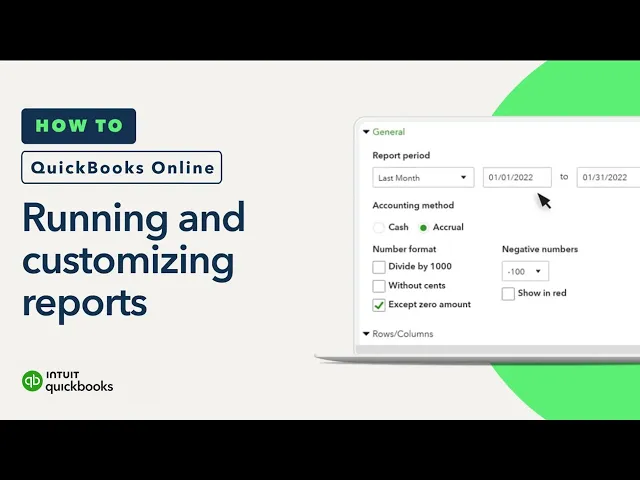
When it comes to reporting, QuickBooks lets you drill deeper than FreshBooks. Its Plus plan and up allow you to track both classes and locations. You can use the former to separate results by department. Location tracking is useful for businesses with multiple brick-and-mortar storefronts. QuickBooks also has double-entry accounting reports (e.g., general ledger and chart of accounts) in all plans. FreshBooks only includes these in the Plus plan and up.
Inventory management
If you manage just a small amount of inventory, FreshBooks can get the job done. But QuickBooks goes beyond basic stock tracking. It has reorder points and lets you buy inventory from directly within the platform. You can also run reports to identify your best sellers and which carry the highest cost. Other inventory features include pricing rules that let you customize rates.
That said, QuickBooks' inventory features are available only in Plus and Advanced plans. FreshBooks, on the other hand, offers basic inventory tracking in all plans.
FreshBooks lacks some basic accounting features, like bank reconciliation, in its Lite plan. You can upgrade to get these features. But you shouldn’t have to. And while the software will match some transactions for you, it doesn’t let you create bank rules to further automate the categorization process. These functions are standard in QuickBooks' entry-level plan.
Ease of sharing with accountants
FreshBooks’ Lite plan doesn’t allow for accountant access. This can be limiting for businesses that want an accountant to look over their financials every so often. Alternatively, QuickBooks includes accountant access in all plans. And thanks to the software’s popularity, most accountants should be familiar with it.
QuickBooks is the more expensive option at all plan levels. So FreshBooks’ lower price tag may be the deciding factor for freelancers. Especially if they're looking for a simple, mobile-friendly bookkeeping solution.
For example, all FreshBooks plans let you re-bill expenses to clients. You’d have to subscribe to QuickBooks’ Plus plan ($115 per month) or higher to access that feature. All FreshBooks plans boast other features that are particularly useful for freelancers. This includes the ability to chat back and forth with clients via the mobile app. You can also find out when a client has viewed an invoice.
QuickBooks does offer a scaled-back product for freelancers and gig workers. QuickBooks Solopreneur starts at $0 per month. But you can’t seamlessly grow into QuickBooks Online from this version. It would require manual data imports.
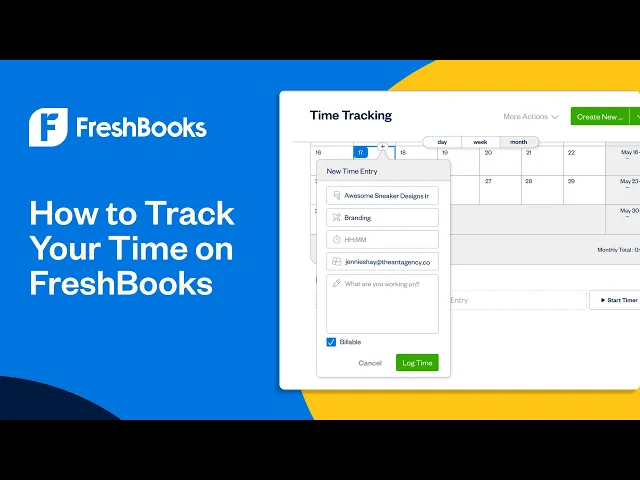
Time tracking is easy and automatic with FreshBooks. And it's included with all plans. You can log in online to track your time or mark it via the mobile app, a browser extension or a third-party app like Asana. You also can record time by project and bill for tracked hours.
QuickBooks offers automatic time tracking through QuickBooks Time. But it costs extra, regardless of which plan you choose. And you need to subscribe to QuickBooks’ Essentials plan ($75 per month) or up to enter billable time and add it to invoices.
Alternatives to FreshBooks and QuickBooks
Xero: Better for unlimited users
Pricing:
$25 per month for the Early plan.
$55 per month for the Growing plan.
$90 per month for the Established plan.
Xero allows unlimited users in every plan tier. It also integrates with more than 1,000 apps. All of its plans include bank reconciliation, unlike FreshBooks. But its lowest-tier Early plan doesn’t let users send more than 20 invoices, enter five bills or claim expenses.
Wave's free accounting software plan includes unlimited invoicing. You'll also find income and expense tracking, plus basic reporting. But you'll need to upgrade to the paid plan to connect bank feeds and automatically categorize transactions. Wave can’t necessarily support a quickly growing small business. But it’s a great solution for very small service-based businesses with a tight budget.
NerdWallet independently reviews accounting software products before determining our top picks. We collect the data for our software ratings from products’ public-facing websites and from company representatives. Our editorial team reviews information on a regular basis for consistency and accuracy.
We also periodically update our scoring system to reflect changing industry norms and business needs. For instance, in 2026, we stopped factoring in whether mobile apps work for both Android and iOS smartphones. If an accounting software product has its own mobile app, it’s almost always available for both operating systems.
NerdWallet’s accounting software ratings favor products that are easy to use, reasonably priced, have a robust feature set and can grow with your business. The best accounting software received top marks when evaluated across 10 categories and more than 30 subcategories. Learn more about how we rate small-business accounting software.
These ratings are meant to provide clarity in the decision-making process, but what’s best for your business will depend on its size, growth trajectory and which features you need most. We encourage you to research and compare multiple accounting software products before choosing one.
NerdWallet does not receive compensation for any reviews. Read our editorial guidelines.